An overview of VoIP technology.
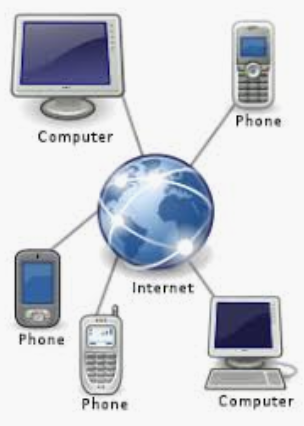
Internet Telephony
In this post, I am going to discuss all you need to know about Internet telephony or phone over Internet.
Net telephony is also called IP telephony (Internet Protocol telephony). IP telephony allows you to use your Internet connection as a communication channel for sending and receiving telephone calls using a technology called VoIP technology. VoIP stands for Voice over Internet Protocol. VoIP phone system is now a widely-used communication option that may eventually replace the existing telephony infrastructure.
What is Internet telephony?
Network telephony is a service that provides the capability to establish, answer, route, and terminate telephone calls under the control of applications on either desktop computers or servers resident in the network.
Internet telephony is the integration and convergence of voice and data networks, services, and applications. This rapidly developing technology can convert analog voice input to digital data, send it over available networked channels, and then convert it back to voice output. This communication technology allows transmission of all real-time data, voice and video calls, and other telephony services like fax, and SMS over the Internet, to anywhere in the world. This can be done from a computer to a traditional telephone set or from a computer to another computer or even from a telephone device to another telephone device.
Behind the scenes, this is often accomplished via a VoIP gateway—a device or service that bridges the gap between the Internet and the traditional Public Switched Telephone Network (PSTN). Thanks to this gateway, you can call a regular landline or mobile phone from your computer, and people using traditional phones can reach VoIP numbers as well. This seamless connectivity is managed automatically by most VoIP solutions, making it easy for users to communicate, whether the call originates from a computer, a VoIP phone, or a classic telephone handset.
One of the remarkable advantages of most VoIP solutions is that they allow you to call non-VoIP users as well—whether they’re on mobile phones or traditional landlines. This means you can experience the benefits of VoIP technology while still being able to connect with anyone, regardless of the type of phone system they use. So, you’re not limited to just talking with other VoIP users; your communication can truly span the globe, bridging the gap between Internet-based calls and conventional telephony.
Because of low service charges and other value-added services Internet phone is a promising system for long-distance calls.
What is VoIP?
Net telephony is often used synonymously with VoIP. VOIP stands for – Voice Over Internet Protocol. Now, what does VoIP mean?
VoIP is a technology that makes it possible to make calls on a phone over the Internet instead of using a regular telephone connection that uses analog signals. VoIP technology allows a caller to phone over the Internet directly from a computer, a VoIP phone, or any other data-driven device by converting the caller’s analog voice signals into digital signals and transmitting the same as data packets over the Internet.
There are several ways you can take advantage of VoIP:
- Using VoIP Software on Your Computer:
You can install VoIP applications on your laptop or PC, turning it into a fully functional phone. With just a microphone and speakers (or a headset), you can make and receive calls, send instant messages, or even hold video chats—all without any special hardware. - VoIP-Enabled Devices and Phones:
Dedicated VoIP phones and SIP devices are designed specifically to transmit calls over the Internet, often plugging directly into your modem or router using an Ethernet cable. These phones look and work much like traditional phones but use the Internet for all communications. - Mobile Devices and Apps:
Many smartphones and tablets can use VoIP apps to make calls over Wi-Fi or mobile data. Some examples of apps that use VoIP technology to make calls are WhatsApp, Google Phone, Google Group Chat, Skype, Facebook Video, and Voice Chat. - Adapters for Traditional Phones:
If you prefer your trusty old landline handset, some adapters allow you to connect it to your Internet connection so you can make VoIP calls without giving up familiar hardware.
With these flexible options, VoIP lets you make calls from virtually anywhere you have an Internet connection, whether you’re at your desk, on the go with your smartphone, or even using your home phone.
Some examples of apps that use VoIP technology to make calls are WhatsApp, Google Phone, Google Group Chat, Skype, FaceBook Video, and Voice Chat.
What is a softphone and how does it work?
A softphone is essentially a software-based telephone that lets you make and receive calls over the Internet using VoIP technology. Instead of needing a physical handset, all you need is a computer, laptop, tablet, or even your smartphone, along with a headset or built-in microphone and speakers.
When you install a softphone application—think Skype, Zoom, or WhatsApp—you get a virtual dial pad and contact list, just like on a traditional phone. These programs transform your device into a fully functional phone interface. You can dial numbers, answer incoming calls, put calls on hold, and even transfer calls, all from your screen.
Here’s how it works:
- You launch your softphone software on your internet-connected device.
- The software connects to your VoIP provider, using your Internet connection to send and receive voice data.
- When you make a call, your voice is converted from analog to digital data, sent across the Internet, then reassembled on the other end—just like with traditional VoIP systems.
With softphones, the flexibility is unbeatable. You aren’t tied to a desk phone or even a particular location; as long as you have an Internet connection, you can make and receive calls—whether you’re in your home office, at a café, or halfway around the world.
You may also like to read this post: How do I make phone calls on my tablet
What is the difference between Internet telephony and VoIP phone systems?
Although in essence, both phones over the Internet and VoIP are the same thing, function-wise they are different from one another.
Internet telephony or IP telephony is the infrastructure that is needed to make VoIP calls. When you want to make VoIP calls, the hardware required to do so is called IP telephony. Infrastructure for Internet telephony comprises IP phones, IP-private branch exchange, routers and switches, etc. Simply put, VoIP technology may be considered a subcategory of IP telephony.
To make VoIP calls on a business level a special type of adapter is needed. IP phones have been created specifically for this purpose which uses a VoIP adapter that converts analogue voice signals into digital packets for sending over an Internet network. It can, therefore, be said that IP telephony simply just completes the VoIP phone system.
You can also convert a conventional landline phone to work with VoIP by using an Analog Telephone Adapter (ATA). This handy device connects your regular phone line to your modem or router. The ATA digitizes your analog phone call, allowing you to use your standard telephone for VoIP calls—no need to purchase a new phone right away. This flexibility makes it possible for both individuals and businesses to transition from traditional telephony to Internet-based calling without overhauling all their existing equipment.
What is PBX and how does it work with VoIP?
PBX, or Private Branch Exchange, is essentially a private telephone network used within an organization. Think of it as your office’s own switchboard, helping manage and route calls between employees as well as with the outside world—without needing a separate phone line for every desk.
With the introduction of VoIP, PBX systems have gone digital. Instead of relying on complex wires and bulky hardware, businesses now use IP PBX solutions that leverage the power of the Internet. Here’s what that means for you:
- Internal calls between employees travel across your data network, rather than through traditional phone lines.
- You can share a limited number of external phone lines for outgoing and incoming calls, making the setup more efficient and cost-effective.
- Features like call forwarding, voicemail, call transfers, and automated menus (those “press 1 for sales” greetings) are all managed through software, rather than physical equipment.
In short, combining PBX with VoIP gives organizations a streamlined, flexible way to manage calls—supporting both internal communication and calls to the outside world, all over a single Internet connection. This approach is scalable, easy to maintain, and much more affordable than the clunky systems of yesteryear.
Migrating from traditional phone systems to VoIP
Wondering how to transition from your old landline setup to a modern VoIP phone system? The shift is simpler than you might expect.
First and foremost, you’ll need a stable and reasonably fast internet connection—think broadband, DSL, or fiber. With that in place, the rest is often as easy as plugging in your new devices. Modern VoIP solutions, like those provided by RingCentral, Zoom, or even Skype for Business, are designed to be user-friendly, requiring minimal technical know-how.
Here’s how the migration process generally unfolds:
- Assess your existing equipment: Determine if your current handsets or hardware can be used with VoIP, often with the help of a VoIP adapter. In some cases, you may opt for dedicated IP phones for optimal performance.
- Choose your service provider: Decide on a VoIP provider that fits your business or personal needs. Compare features, costs, and customer support.
- Port your phone numbers: If you’d like to keep your existing phone numbers, most VoIP service providers offer number porting services. This ensures continuity for customers and contacts.
- Set up your network: Connect your VoIP phones or adapters to your internet router. Most providers offer user-friendly setup guides that get you talking in no time.
- Configure features: Take advantage of additional services—voicemail-to-email, call forwarding, or video calling—often included in even basic VoIP packages.
Once you’re set up, your new VoIP system will handle calls over the internet, replacing traditional analog lines with a flexible, scalable digital alternative. Goodbye tangled wires, hello convenience!
What are typical business use cases of an Internet phone system?
The adoption of Internet phone systems offers businesses remarkable flexibility and efficiency not possible with traditional telephony. Here are some of the most common ways organizations leverage Internet telephony today:
- Internal Communication Across Offices: Internet phone systems make it easy for employees to connect with each other, whether they’re sitting across the hall or across the globe. You can call colleagues in other branches, even internationally, without worrying about long-distance charges. Internal calls are typically free since everything runs over the company’s Internet connection—not the old copper lines.
- Seamless External Calling: Just because you’re using an Internet phone doesn’t mean you’re limited to calling only other Internet-connected devices. Modern VoIP solutions let you place calls to any landline or mobile number—helpful for reaching customers, vendors, and partners who might still be using traditional phones. Services such as Skype, Zoom Phone, and Google Voice are good examples of this type of connectivity.
- Using Mobile Devices as Office Extensions: Internet telephony isn’t locked to your desk. Most systems include mobile apps, so your smartphone or tablet can double as your office phone. This is ideal for remote work, traveling employees, or anyone who wants a single work number to reach them whether they’re working from the office, at home, or anywhere with an Internet connection.
This flexibility helps businesses streamline their communication, reduce costs, and stay connected no matter where the workday takes their team members.
Enhancing Communication with PBX and VoIP
Pairing VoIP technology with a PBX (Private Branch Exchange) system adds another layer of organization and capability to business communications. With PBX in the mix, companies can create a dedicated phone network for their team—think of it as your own internal switchboard, but brought into the digital age.
Here’s how this combo delivers real value:
- Effortless Internal Communication: PBX lets employees reach one another with simple extension dialing, streamlining communication within the office—even if that “office” spans multiple locations or remote home setups.
- Shared Access to External Lines: Instead of every user needing their own separate phone line, PBX enables everyone to share a pool of external lines through VoIP. That means efficient use of resources; staff can connect with clients, partners, or vendors without the hassle or high cost of individual landlines.
- Professional Features Made Easy: VoIP-powered PBX systems unlock advanced business features like automated attendants (think: “Press 1 for sales, 2 for support”), call routing, conference calling, and voicemail management—all without needing a roomful of hardware.
In short, deploying PBX with VoIP gives organizations the tools to handle internal calls with ease and connect to the outside world smoothly, creating a unified, scalable phone system fit for today’s flexible business environment.
How does VoIP work?
Internet telephony uses VoIP technology to make calls on the phone over the Internet. The VoIP phone system works by converting the analog voice signals into digital signals and then transmitting the same as data packets over the internet.
When a caller makes a phone call over the Internet directly from a computer or a VoIP phone or any other data-driven device, his voice signals from the microphone are digitized, compressed, and converted into data that a computer can read. This data is then broken into small packets which are routed over the Internet to the user at the other end, just like any other data that is sent over the Internet.
At the receiving end, each data packet is reassembled into data compatible with the receiving device which demodulates the data and converts the data packets back into voice signals which can be heard through the speakers or headphones.
Advantages and disadvantages of VoIP
Although several benefits of VoIP make it a great communication option for just about everyone, this phone system is not without its own set of drawbacks. Let’s therefore, take a look at both advantages and disadvantages of VoIP to enable you to make the right decision regarding using this Internet phone system based on your own needs.
Differences Between Internet-Based and Traditional Phone Calls
Before diving into the pros and cons, it’s helpful to understand how VoIP (Voice over Internet Protocol) actually differs from traditional telephony. Traditional phone calls are routed through the PSTN (Public Switched Telephone Network), which historically used fixed-line analog networks but now relies on a mix of digital lines, fiber optics, cellular networks, and even undersea cables. The PSTN uses circuit-switched technology, meaning a dedicated channel is established for each call, which can be less efficient and more costly—especially for long-distance connections.
In contrast, VoIP leverages the Internet Protocol to transmit voice as data packets. There’s no need for a dedicated line; your conversation is broken into small digital packets, sent across the most efficient routes possible, and reassembled at the other end. This efficient use of the Internet’s existing architecture is a big part of why VoIP is more affordable and flexible than traditional phone systems.
Advantages of VoIP
Low cost: IP telephony or VoIP service is most cost-efficient. It offers considerable cost savings on long-distance and international telephone calls which are generally free except for the charges for your internet access. The service providers of IP telephony generally charge a flat rate which is well below the charges of traditional telephone services;
Additional features at no extra cost:
Unlike regular phone services which usually charge more for additional features, VoIP allows users to avail several advanced features without any extra charge. For example, conference calling, video conferencing, call transfer, and caller ID are some of the many services included with VoIP telephone service at no additional fee;
Portability:
A VoIP phone system is completely portable. Unlike traditional telephone services which are distance or location-dependent, IP telephony services work everywhere for which all you need is an Internet connection. Many VoIP service providers even allow access to your VoIP phone system via the internet using a mobile app. Unlike your regular phone number, you can take your VoIP phone number with you anywhere you go and you don’t have to change your phone number.
Scalability and Flexibility
VoIP solutions are typically hosted in the cloud, eliminating the need to purchase, install, or maintain expensive on-premise equipment. This makes it easy to add or remove users, upgrade features, or expand your phone system as your business grows—all without the headaches and costs of traditional setups.
Seamless Accessibility Across Devices
With VoIP, you can access your business phone system from any device—desktop, laptop, tablet, or smartphone—so long as you have an internet connection. This means you can take calls, check voicemail, or join meetings whether you’re working from home, the office, or on the go.
Advanced Features and Integration
Since voice and data travel over the same network, VoIP opens the door to a host of modern features. Think video calls, instant messaging, and screen sharing, all integrated into one platform. Plus, many VoIP systems can be connected to productivity tools such as Microsoft Teams or Google Workspace, streamlining communication and collaboration.
Excellent Voice Quality
Early VoIP systems were notorious for poor sound quality, but those days are long gone. With a stable internet connection and modern equipment—like noise-canceling headsets and HD audio—VoIP calls offer excellent clarity, rivaling or even surpassing traditional phone lines.
In short, VoIP brings businesses a flexible, feature-rich, and budget-friendly communication option, making it a smart upgrade from old-fashioned telephone systems.
Disadvantages of VoIP
Reliability issue:
As the functionality of Internet telephony depends on the Internet connection it uses, the VoIP service is dependent on the quality and reliability of your broadband Internet service. Poor Internet connections and congestion can lead to problems like dropped calls and voice distortion. If your internet system doesn’t have sufficient bandwidth it may be difficult to maintain a connection or connect to the server of your VoIP service provider.
You may also like to read: My internet keeps disconnecting every few minutes (solved)
Limitation in emergency call support:
Emergency calling can be a major problem for VoIP users. Since the calls do not originate at the physical location, with Internet telephony there is currently no way to determine where the VoIP phone call is originating from. In case of emergency the traditional phone can trace the location of the caller and the call is diverted to the nearest call center where the operator can see the caller’s location. Thus the very nature of Internet telephony limits the effectiveness of using it to make emergency calls.
Security:
Compared to traditional phone systems phones over the Internet are more prone to security breaches. The VoIP devices must, therefore, be secured with firewalls and advanced security features to reduce the risk of any security infringement for Internet telephony, which can turn out to be very costly for a company.
When you make a VoIP call, your voice data travels over the Internet—often passing through multiple servers, much like how emails or files are transmitted. Because of this, it’s crucial that service providers host your data in secure, reliable data centers that comply with recognized industry standards such as ISO/IEC 27001 for information security management. These centers are typically geo-redundant, meaning your data is mirrored across several locations to ensure both availability and protection against data loss. In addition to firewalls, reputable providers employ robust encryption, regular security audits, and strict adherence to electronic communications laws to safeguard your conversations and prevent unauthorized access.
By ensuring your VoIP devices and services have these protections in place, you can enjoy the benefits of Internet telephony while minimizing the potential risks.
Conclusion
On going through the post which explains what VoIP means and how VoIP works it is apparent that changing over to Internet Telephony for sending and receiving telephone calls is not at all a difficult task. To make a phone call over the Internet using VoIP technology all you need is an Internet connection with sufficient bandwidth, appropriate hardware, and a VoIP service provider. The rapid propagation of the Internet and its ease of use as a communication channel have given rise to a strong interest in carrying out communication via the Internet.
Because the Internet supports data communications, IP telephony has the potential to integrate with a wide range of applications and can be adapted and tailored to suit the specific needs of businesses. As communication via the Internet offers private clients and businesses numerous advantages, a lot of businesses have already switched over to using VoIP phone systems.
However, several technical challenges are still to be addressed to bring the quality of Internet phone calls to a level comparable to traditional telephone services. New protocols and techniques need to be incorporated into the current Internet to provide true quality of service to the end users.

John Carston
Nov 27. 2021
It helped when you mentioned that it is not a difficult task for Internet Telephony for sending and receiving telephone calls. My cousin mentioned to me last week that he is planning to have a business phone system service for their business workplace and asked if I have any idea what is the best option to do. Thanks to this informative article and I’ll be sure to tell him that it will be much better if we consult a trusted business phone system service as they can answer all his inquiries.
radharenu ganguly
Nov 27. 2021
Hi John,
Thanks for your comments. I am glad that the article helped you.
VoIP Phone System
Apr 30. 2022
good article information for internet telephony related thanks for sharing this blog…